Migrating WordPress to Headless Next.js Storefronts
Traditional WooCommerce architectures suffer from severe database bottlenecks and poor Core Web Vitals. This technical guide explains exactly how migrating to a headless WordPress Next.js storefront resolves infrastructure friction, maximizes crawler indexing, and drives eCommerce revenue.
1. The Monolithic PHP Performance Bottleneck
Traditional WordPress themes and WooCommerce setups consistently fail Core Web Vitals assessments under heavy concurrent user loads. Time to First Byte (TTFB) spikes severely when traffic surges, leading to high bounce rates and lost conversions.
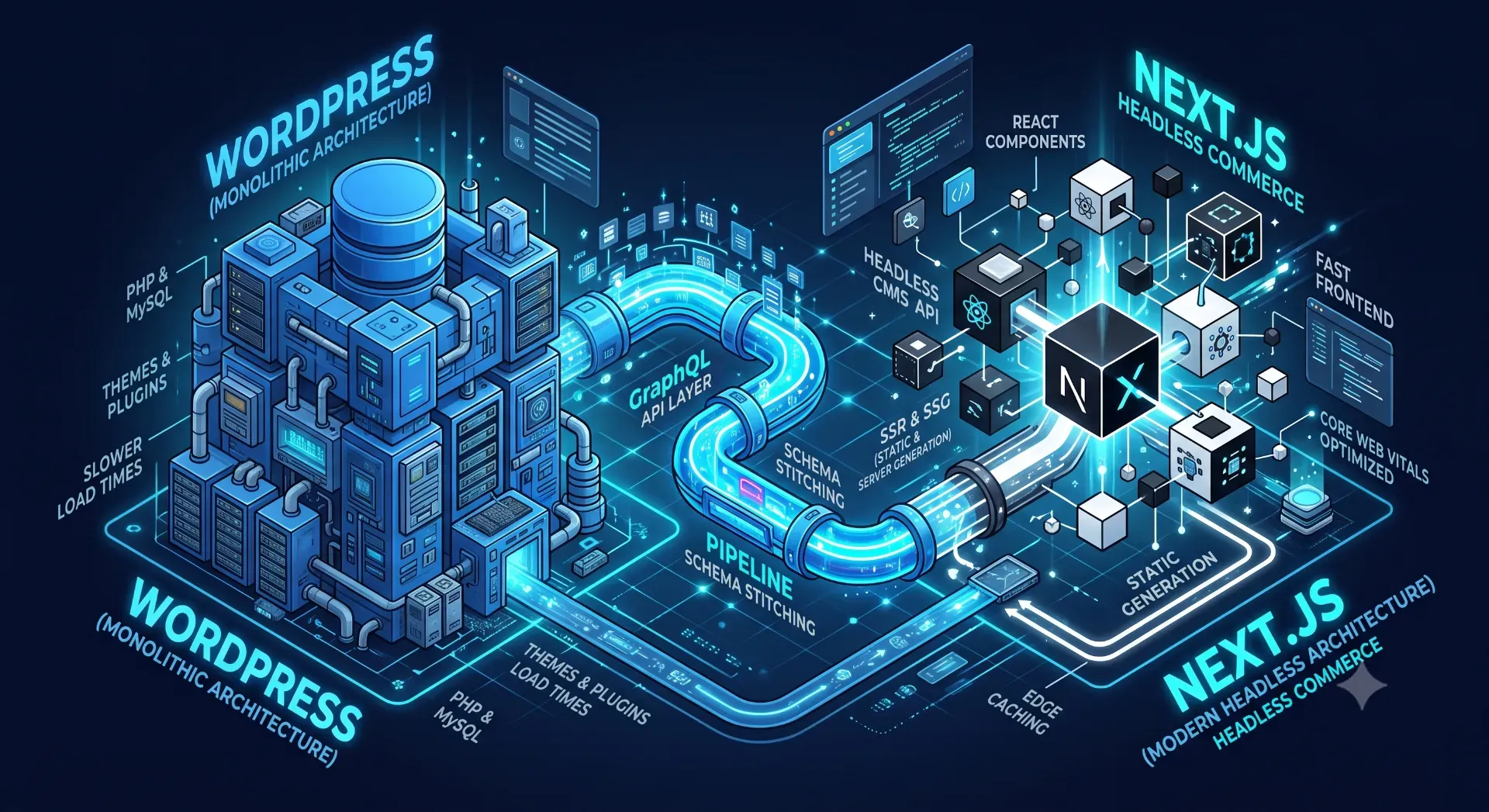
This degradation happens because the monolithic architecture relies on synchronous PHP server-side rendering for every single incoming request. When a user navigates to a product page, the server must open a MySQL database connection, process complex PHP template logic, query dozens of active plugins, and compile the final HTML document before transmitting a single byte back to the browser. This synchronous processing blocks the main server thread and consumes massive amounts of RAM.
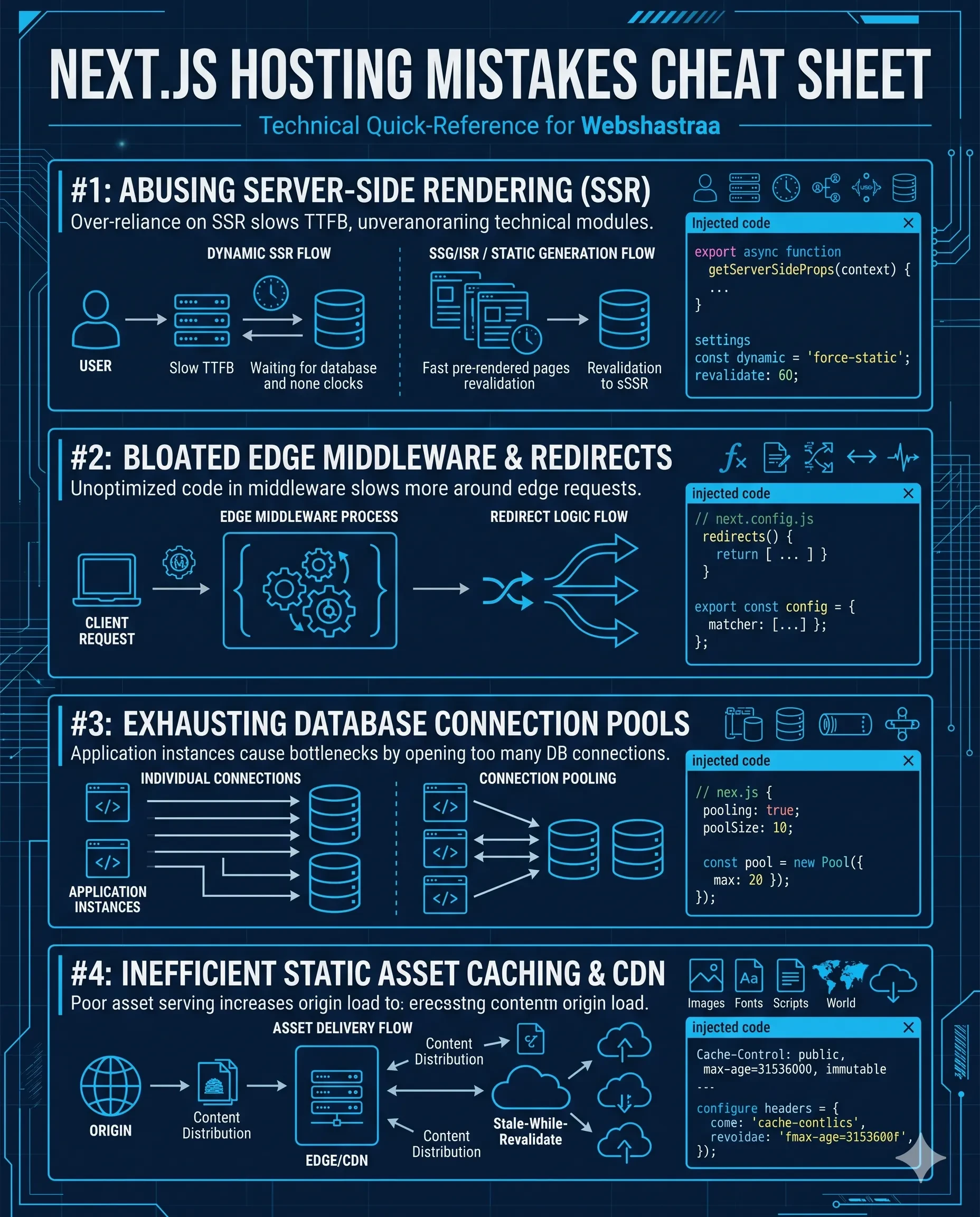
In practice, we audit WooCommerce catalogs containing tens of thousands of SKUs that crash entirely during Black Friday sales events. The database connection pools exhaust completely under the concurrent load, resulting in 504 Gateway Timeouts for active customers. Teams frequently attempt to throw more expensive server hardware at the problem, ultimately failing to reduce nextjs hosting costs or legacy server expenses because the underlying architecture itself is inherently unscalable.
The technical solution is migrating to Next.js Incremental Static Regeneration (ISR). This rendering strategy completely decouples the read logic from the live database. The Next.js framework requests the data from WordPress once at build time, compiles the HTML securely, and distributes it to a global edge CDN. Subsequent user requests never hit the WordPress server; they are served instantly from the geographical edge cache.
Edge-cached pre-rendering isolates your core database infrastructure from traffic spikes, ensuring your storefront remains online and instantaneous regardless of the concurrent visitor load.
2. Data Over-fetching and the GraphQL Solution
Connecting a modern JavaScript frontend directly to the default WordPress REST API results in massive bandwidth consumption, slow client-side data hydration, and delayed Largest Contentful Paint (LCP) times.
This inefficiency occurs because the native REST API is heavily over-engineered for basic frontend consumption. A single GET request to the
/wp-json/wp/v2/posts endpoint returns deeply nested author metadata, generic application fields, HTML-encoded strings, and complex formatting parameters that a headless storefront simply does not need to render a clean UI component.A common mistake developers make during initial headless migrations is using the native REST API to build a simple product grid. Fetching fifty products downloads a multi-megabyte JSON payload. The client device must parse this massive object just to extract a title, a price, and a thumbnail image. This causes severe main-thread blocking and delayed visual rendering on mobile devices operating on 3G networks.
You can resolve this by replacing the REST architecture with the WPGraphQL plugin on the backend. GraphQL allows your Next.js frontend to explicitly define the exact data shape it requires per component. By writing a precise query that asks exclusively for the product ID, title, and price, the server response shrinks from megabytes to kilobytes, dropping network transit latency to near zero.
Adopting GraphQL eliminates data over-fetching entirely, drastically reducing bandwidth overhead and accelerating frontend parsing speeds across mobile devices.
3. Synchronizing SEO and Canonical Metadata
Organic search traffic frequently plummets immediately after an unoptimized headless migration launches into production. Search engines drop the site's rankings because critical metadata is suddenly missing from the document head.
This drop happens because standard WordPress plugins like Yoast or RankMath automatically inject title tags, meta descriptions, and structured JSON-LD data directly into the monolithic PHP document head. When you sever the frontend rendering layer, that native injection process breaks completely. The Next.js application does not automatically know how to read or render the SEO data stored in the disconnected WordPress database.
We frequently encounter migration projects where developers forget to bridge the canonical tags. Because dynamic routing in Next.js can generate multiple accessible URLs for a single product variant (e.g., color or size parameters), search engines flag the entire catalog for duplicate content and strip its ranking power. Resolving structural indexing issues is a mandatory step, heavily emphasized in our standard Shopify SEO checklist 2026 audits as well as custom Next.js eCommerce builds.
The technical solution involves installing the WPGraphQL SEO extension on the WordPress backend to expose the Yoast metadata through the GraphQL endpoint. On the frontend, you must utilize the Next.js
generateMetadata server-side API to fetch this exact node and programmatically inject the localized title, description, and strict canonical URL into the document head before the HTML is delivered to the crawler.Absolute SEO parity requires explicitly mapping database metadata to server-rendered Next.js document heads to maintain and grow your organic indexing authority.
4. Resolving Broken Content Editor Previews
Content editors and marketing teams lose the ability to preview drafted content before publishing when migrating to a decoupled architecture. The native WordPress preview button simply redirects editors to a broken page or a stale cached version.
In a traditional monolithic setup, clicking preview in WordPress renders the draft using the active PHP theme immediately. In a headless environment, the Next.js frontend only rebuilds when instructed by a webhook, and it typically only fetches published data from the API. Since the draft is not published, the Next.js router returns a 404 error.
One issue we frequently encounter is marketing teams publishing incomplete landing pages to the live production environment just to see how the responsive layout looks on mobile devices. This broken workflow introduces massive operational friction, violates editorial compliance, and exposes unfinished content to actual customers.
You must implement the Next.js Draft Mode API to restore this functionality. Configure a custom WordPress hook that intercepts the native preview button click and securely passes a cryptographic token to a Next.js API route. This route verifies the token signature, activates a secure session cookie, and intentionally bypasses the static cache, forcing Next.js to fetch and render the drafted revision directly from WordPress in real-time.
Restoring a seamless editorial workflow using Draft Mode ensures your marketing team can operate efficiently without compromising the static performance of the live production site.
5. E-Commerce State and Cart Synchronization
Customer shopping carts desynchronize in headless builds, leading to failed checkouts, frustrated users, and lost revenue.
Static pre-rendering is perfect for marketing content and product catalogs, but transactional data like user sessions, inventory levels, and shopping carts are inherently dynamic. If you attempt to cache a shopping cart page statically, every single user hitting the site will see the exact same global cart state, breaking the checkout flow entirely.
A common architectural failure involves developers writing client-side fetch requests that ping the WordPress backend for cart updates on every single page load to bypass the static cache. This triggers a next js serverless cold start for every navigation event, adding multiple seconds of latency to the critical checkout flow and causing immediate customer abandonment due to perceived site lag.
You must implement a hybrid rendering architecture to solve this. Pre-render all catalog pages statically at the edge, but wrap the application in a client-side React Context provider to manage the cart state dynamically in the browser. Use highly optimized, dedicated Next.js server actions or API routes to mutate the cart data securely in the background. This ensures the state persists across navigation events seamlessly without blocking the visual UI from rendering instantly.
Isolating dynamic transactional states from static content delivery ensures maximum global cache hits while preserving a secure, real-time checkout experience for the end user.
Call to Action
Is your WooCommerce platform struggling to scale under traffic? Our engineering team builds resilient, high-speed decoupled architectures. Book a Migration Consultation with Webshastraa today.
Frequently Asked Questions
What is the main advantage of moving WordPress to a headless Next.js setup?
The primary advantage is performance and security. By decoupling the frontend from the database, Next.js can pre-render your pages and serve them from a global CDN. This eliminates database query latency, protects your backend from direct DDoS attacks, and guarantees instant page load times.
Does a headless architecture break my WordPress plugins?
Yes, any WordPress plugin that relies on modifying the frontend PHP theme layer (like visual page builders, sliders, or frontend styling plugins) will stop working. However, plugins that modify backend data (like WooCommerce orders, Advanced Custom Fields, or Yoast SEO) will continue to work, provided you expose their data via the GraphQL API.
How does Next.js handle high traffic spikes compared to traditional WordPress?
Traditional WordPress must execute PHP and query MySQL for every visitor, which quickly exhausts server resources. Next.js uses Incremental Static Regeneration to cache the HTML at the network edge. When traffic spikes, the CDN serves the cached file, resulting in zero additional load on your actual server infrastructure.
Is WPGraphQL required for a headless migration?
While you can technically use the default WordPress REST API, it is highly discouraged for enterprise applications. WPGraphQL is the engineering standard because it prevents data over-fetching, reduces payload sizes dramatically, and provides a strictly typed schema that integrates perfectly with Next.js component structures.
Can marketing teams still use the Gutenberg editor in a headless setup?
Yes. Editors can continue building content using the Gutenberg block editor in the WordPress admin. The engineering team parses the Gutenberg block data (usually via a plugin like WPGraphQL Gutenberg) and maps those specific blocks to custom React components inside the Next.js codebase to retain full design fidelity.
Feedback