
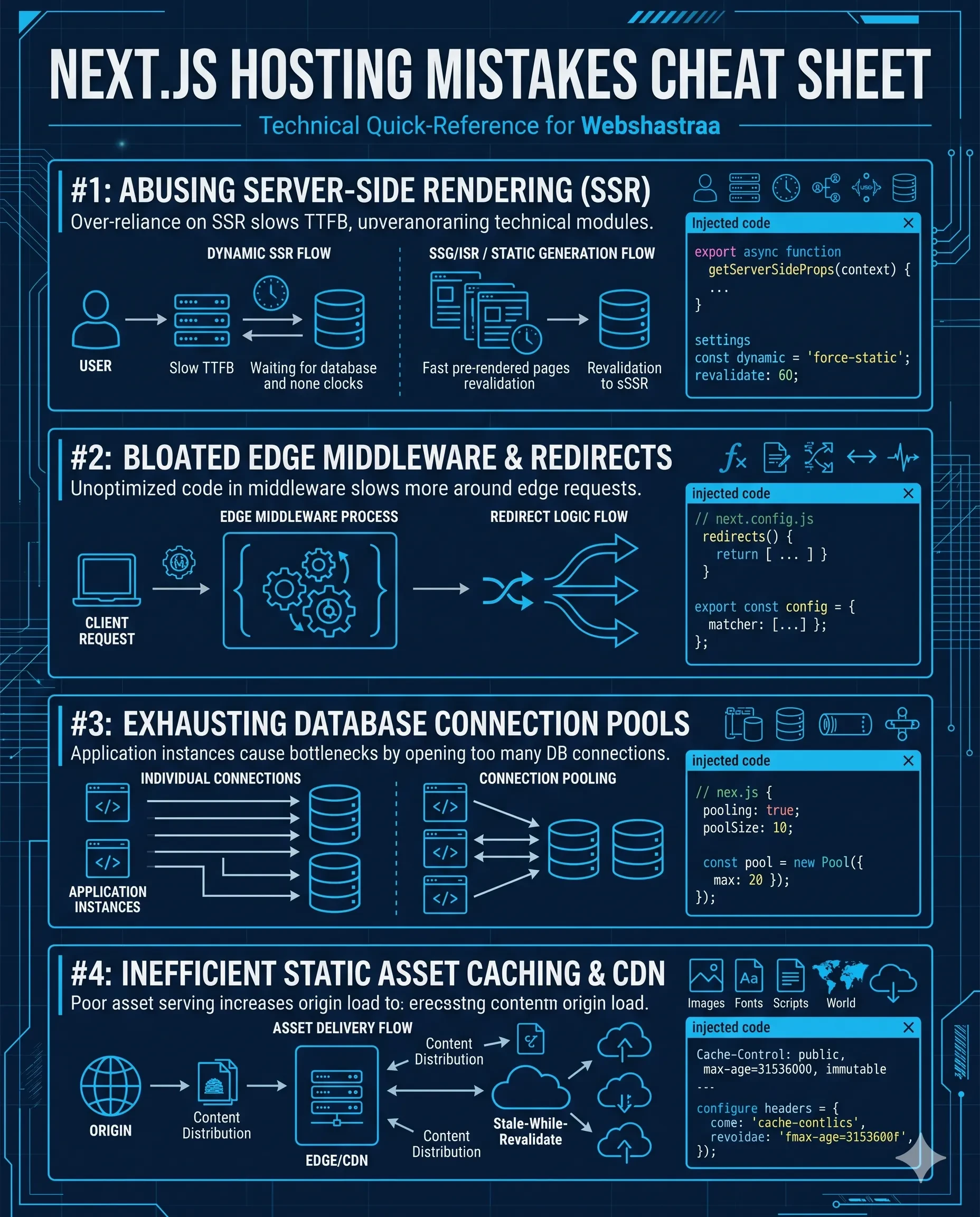
4 Massive Next.js Hosting Mistakes Killing Your Site Speed
Is your Next.js site sluggish and burning through hosting credits? Fix these 4 critical architecture errors—accidental SSR, image caching flaws, and serverless cold starts—to slash server response times.
1. Triggering Accidental Server-Side Rendering (SSR) on Static Pages
- Audit route components and strip unnecessary dynamic functions like cookies() or headers() from layouts that should remain static.
- Enforce explicit caching directives on all fetch requests within the App Router.
- Lock down entirely static pages by injecting 'export const dynamic = "force-static";' at the top of the route segment.
2. Bleeding Cash on Default Image Optimization Configurations
- Increase the minimumCacheTTL parameter in next.config.js to lock optimized images in cache for extended periods.
- Implement strict remotePatterns to whitelist specific external domains and prevent malicious bandwidth abuse.
- For media-heavy architectures, bypass the default Next.js optimizer entirely and pipe assets through dedicated CDNs like Cloudinary or AWS CloudFront.
3. Failing to Utilize Incremental Static Regeneration (ISR)
4. Ignoring Serverless Function Cold Starts
- Migrate lightweight middleware and simple API routes from the standard Node environment to the Edge Runtime to eliminate cold starts.
- Ruthlessly audit your package.json. Strip out bloated libraries and replace them with native web APIs.
- Cache database connections in the global scope to prevent the server from initiating a new connection handshake on every single request.
Frequently Asked Questions
How can I detect accidental dynamic rendering in my Next.js build?
Execute the 'next build' command in your local terminal. Next.js generates a route tree output where each page is marked with either a 'λ (Server)' or a '○ (Static)' icon. If critical marketing pages display the 'λ' symbol, your code is triggering accidental server-side rendering. Audit your data fetching methods and dynamic parameters immediately.
What is the fastest way to drop Vercel image optimization costs?
First, configure the 'minimumCacheTTL' in your next.config.js to force images to remain in the cache layer for up to a year. If your application serves highly dynamic or user-generated media at scale, disable the built-in Next.js optimizer and integrate a dedicated image CDN like Cloudinary or Imgix to handle processing via a custom loader.
What exactly is the difference between Edge Functions and standard Serverless Functions?
Edge Functions execute on lean V8 engines deployed globally, meaning they run geographically close to the user and boot almost instantly (zero cold start). Standard Serverless Functions provide a full Node.js environment capable of running heavy dependencies, but they suffer from boot latency when invoked from a cold state.
How do stale-while-revalidate (SWR) headers save Vercel serverless execution fees?
SWR headers allow the CDN edge cache to serve static cached content to visitors instantly while fetching updates in the background. This offloads database queries, drops server response times to zero for subsequent hits, and protects hosting bills from skyrocketing during spikes.
Is self-hosting Next.js on standard VPS or Kubernetes nodes worth it?
Yes, self-hosting via Docker containers on AWS, DigitalOcean, or custom Kubernetes VPS offers a fixed, predictable pricing model for high-traffic sites. However, you lose Vercel's zero-config edge scaling, meaning you must manually manage SSL termination, multi-zone CDNs, and image optimization caching handlers.
Feedback

